
How it works
From “hi” to a paid order
Set up once. After that, the chatbot handles the conversation and you handle the business.
Set up
Ready in four steps
No code and no technical setup.
- 1
Create your store
Start the 14-day free trial with full Premium — no card needed. Add your name, logo, currency and contact.
- 2
Choose your features
Switch on what you offer: products, menu, appointments, table reservations, orders. Everything else stays hidden.
- 3
Add what you sell
Products with photos and prices, your services and their duration, or your menu and categories.
- 4
Connect Instagram and Messenger
One click each: sign in and press Allow. Test it with Preview customer chat, then you’re live.
Your customer
What your customers experience
When a customer orders
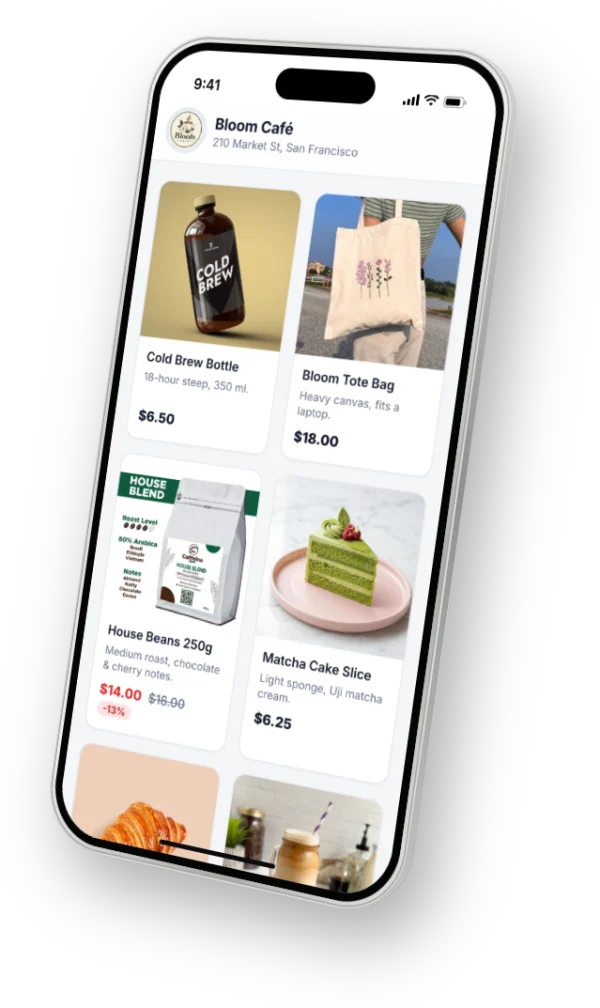
- Says hi The customer messages your Instagram or Facebook Page as usual. The bot answers at once with your menu.
- Browses They tap Products or Menu and look through photos and prices — in the chat or on your web page.
- Orders They choose items, delivery or pickup, enter name and phone, add a coupon if they have one, and confirm.
- Stays informed They get an order number, then a receipt and updates as you prepare, ship and deliver.
When a customer books
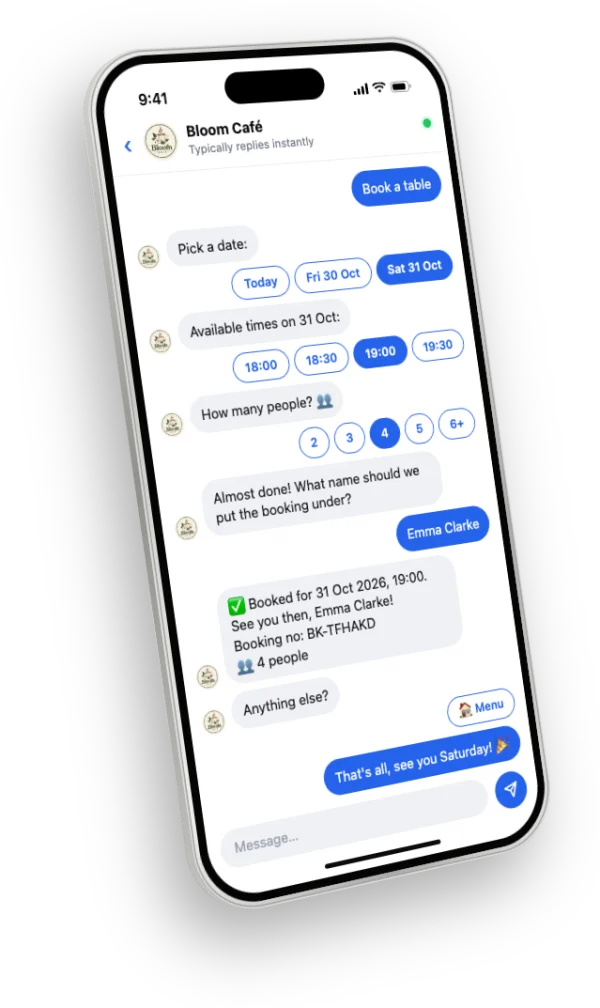
- Taps Book From the chat menu or your booking page link.
- Picks a service and day Only days you’re open are offered; on Premium they can choose a staff member too.
- Chooses a free time Times already booked, past or blocked by a holiday never appear.
- Gets a booking number After name and phone (and party size for tables), the booking is confirmed on the spot.
You
What you do
The repetitive part is automatic. You step in where it matters.
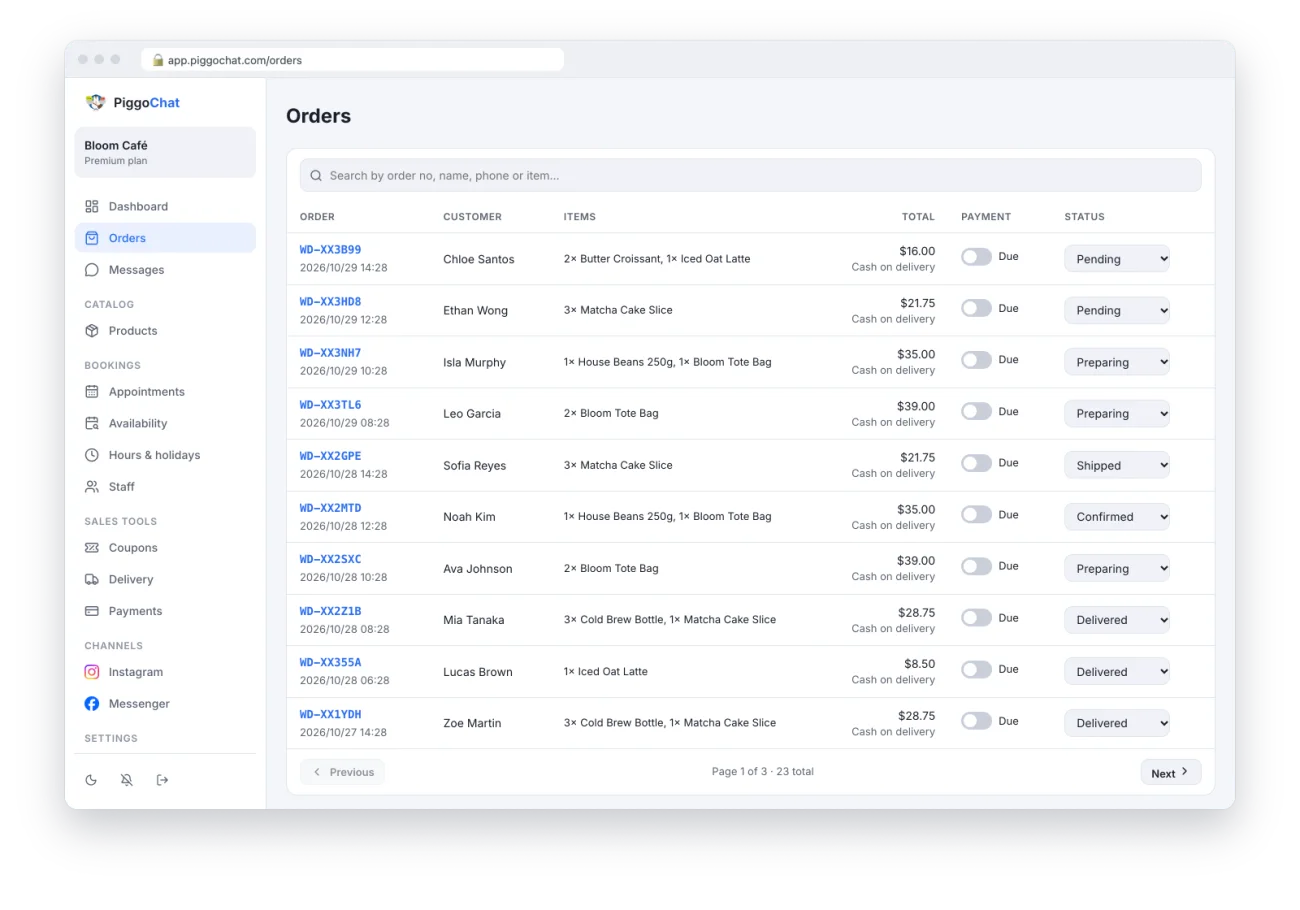
You get a notification
On your phone or computer, for every new order and booking — and the bell keeps a list.
You update the order
Mark it paid, preparing, shipped or delivered. The customer is told automatically.
You reply when it matters
Read every chat in one inbox and answer personally when the bot can’t.
You watch it grow
Sales, bookings and stock alerts on your dashboard every morning.
Good to know
A few platform rules
An Instagram professional account
Instagram only allows automatic replies from Business or Creator accounts. Switching is free and keeps your followers and posts.
A Facebook Page for Messenger
A Page you manage with full control. A Page owned by your personal profile works best.
The 24-hour window
Instagram and Messenger let businesses message a customer within 24 hours of their last message. Order updates follow the same rule.
Nothing to install for customers
They chat in Instagram or Messenger as usual; web pages open in their browser.
Ready to bring customers back?
Get your shop live on Instagram and Messenger this week. Try every Premium feature free for 14 days — no credit card.
Start your 14-day free trial